Flash Assigment :
Security in Learning Online
with examples from MITE Reloaded
Schedule Back
- create the structure of the entry in my portofolio to get an overview what I have to do ( done )
- try to finish the rest of the pre production this week ( 19.1 - 25.1 ), main time to get work done is on Monday and Tuesday
- create the movie hopefully in the next week ( 26.1 - 1.2 )
- the post production should be done in the third week ( 2.2 - 8.2 ), there is probably also some spare time to finish with steps that haven't been finished in the previous weeks, depends on the amount and dates of other assignments
Scope Back
- Aims : to create a short flash movie which shows possible securicy holes in MITE Reloaded*, the students should grasp that in most cases the users itself are the weakest part of securicy of a network system or online environment ( hidden aim : to revive the interest of the students into MITE Reloaded* )
- Audience : students of the M.Sc. Information Technology of Education in Trinity College Dublin
- Tools : Flash, Internet Access, Dreamweaver, Netsoc Account, Paintshop, working Laptop
- Planning : use screenshots from MITE Reloaded*, write an summary to clarify the information you want to deliver, try to get pictures from lecturers of the course to increase the entertaining value of the flash movie
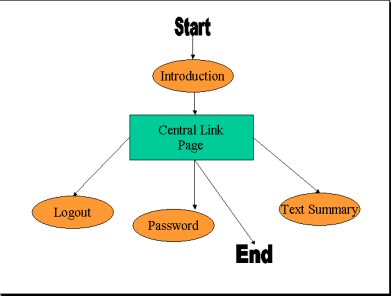
- Organisation :1) introduction movie, 2)central link page 3)step1: logout security movie 4) step2: password security movie 5) step3: text summary
Materials Back
- use of MITE Reloaded*, screenshots have to be created
- get pictures from lecturers
- security summary text has to be written
- following type of Media will be used : Flash Movie, format swf for inclusion into the MITE Reloaded* environment and exe format for the presentation
Deliverables Back
- the main delivery will be a presentation of this flash movie to the class on probably the 14 February. A second use of this movie will be the inclusion of a swf file in the MITE Reloaded* environment.
- used formats : exe, swf
Flowchart Back
Storyboard Back
Note : This is the storyboard I actually used to design my movie. However, as there are none of the interactive elements included there is a second, more detailed storyboard further down. Improved Storyboard
|
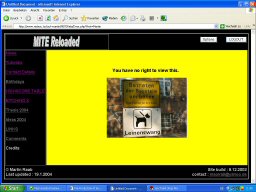
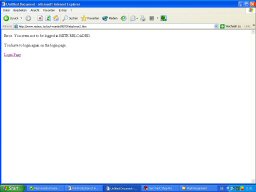
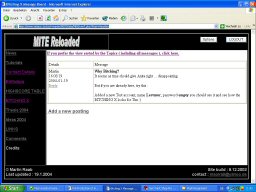
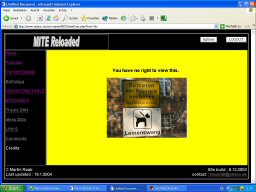
Introduction movie : First we are seeing a lecturer logging on to MITE Reloaded and trying to view the Discussion Board. I'm using some pictures of lecturers to get more attention from the rest of the class. The last part of this introduction movie then shows what usually happens if a lecturer tries to look at the MITE Reloaded discussion board. |
   |
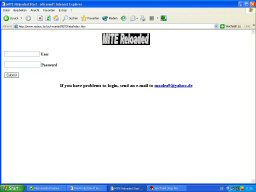
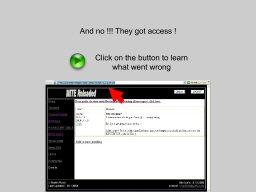
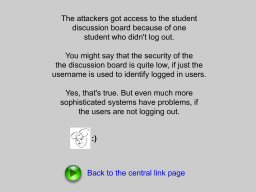
Step 1 - Logout hole: Try to get access by changing the username in the commandline. This will only work if the correspondent hasn't logged out. Students should learn that they reduce the security of a system if they don't logout. They first part of this scene is showing how somebody tries to cheat. The second part is shows what happens if the regular students have logged out. The invader only sees an error page. The third part shows what happens if the student hasn't logged out. The invader gets access.
|
 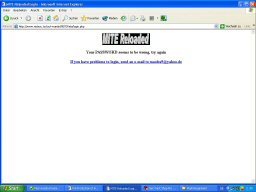 |
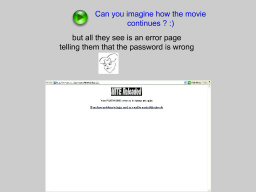
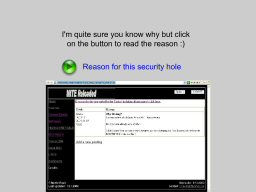
Step 2 Password hole : In case the invader didn't get access to the Message board with the above method, here is another way. The attacker just goes to the login screen and enters the name of another student, without entering a password. The second part of this scene shows then what happens if the student has changed has changed his password instead of using the default blank one. The attacker will see another error message. The third part then shows that if the student still uses the default blank password, the invader again gets access to the message board. |
| no picture here | Step 3 Security Summary : This is just a non-animated text page which sums up that security holes are not necessesarily in the software. Often users make mistakes which open doors for invaders. And more of this kind... read the page itself. |

Storyboard improved Back
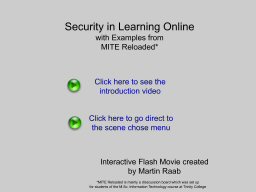 |
The first keyscene is just offering an option to the user either to watch the introduction or direcly jump to the central link page. To continue here the user just has to press one of the green play buttons, which will be consistent throughout the movie. Next scene: |
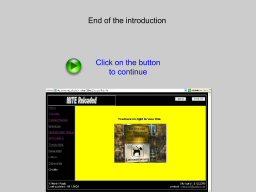 |
Introduction movie : First we are seeing a lecturer logging on to MITE Reloaded and trying to view the Discussion Board. I'm using some pictures of lecturers to get more attention from the rest of the class. The last part of this introduction movie then shows what usually happens if a lecturer tries to look at the MITE Reloaded discussion board. The only keyscene where an interaction from the user is required is at the end. By pressing the green button the movie will continue at the central link page. The stop at the end is here as the whole movie is intended for a presentation and through this the presenter gets a chance to talk without the movie running in the background. Next scene: |
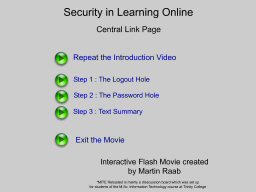 |
Central Link Page The title of this page already tells its function. The user can from here on decide what part of the movie to watch next by pressing a green button which will invoke the part of the movie which is described on the right hand of the buttons. Altogether the user has 5 options. He/she can either go back and watch the introduction again, continue with one of the three steps of the movie or exit the movie. However the last function will only work if the user is using the standalone flash player. If the movie is watched in a webbrowser the movie will be playing as long as the website is displayed. Next scene: |
|
|
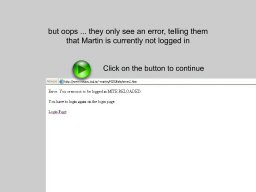
Step 1 - Logout hole: Try to get access by changing the username in the commandline. This will only work if the correspondent hasn't logged out. Students should learn that they reduce the security of a system if they don't logout. They first part of this scene is showing how somebody tries to cheat. The second part is shows what happens if the regular students have logged out. The invader only sees an error page. The third part shows what happens if the student hasn't logged out. The invader gets access. After every one of the three parts is a keyscene where the movie stops. The reason is the same as before, to give a person presenting this movie time to talk. In addition these stops make it easier to understand the movie, as users will get a better grasp of the different parts of the movie and what actually happens. Next scene: |
|
|
Step 2 Password hole : In case the invader didn't get access to the Message board with the above method, here is another way. The attacker just goes to the login screen and enters the name of another student, without entering a password. The second part of this scene shows then what happens if the student has changed has changed his password instead of using the default blank one. The attacker will see another error message. The third part then shows that if the student still uses the default blank password, the invader again gets access to the message board. As int the logout hole movie above, the password movie is cut down into three parts divided by explicit stops. The reasons are the same, no special decision from the user is forced, he/she just has to press the green button to continue the movie. Next scene: |
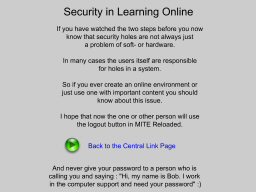 |
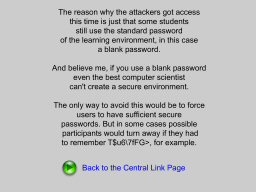
Step 3 Security Summary : This is just a non-animated text page which sums up that security holes are not necessesarily in the software. Often users make mistakes which open doors for invaders. And more of this kind... read the page itself. Next scene:
|
*MITE Reloaded is mainly a disscussion board which I set up for the students of this course
Last updated : 9.2.2004
contact : maolra9@yahoo.de